YOUR PERSONAL LUNAR CALENDAR
See Your Reflector Design In Motion
Step 1 – Your Reflector Bodygraph
If you’re a Reflector and want to see the Lunar Transits at a glance, enter your birth information in this form so you can download a file that’s optimized for our Lunar Transit Calendar tool. After you enter your information, a bodygraph and chart will appear on this page. You’ll see a download button in the upper left hand corner. This pdf is optimized to use in the app below.
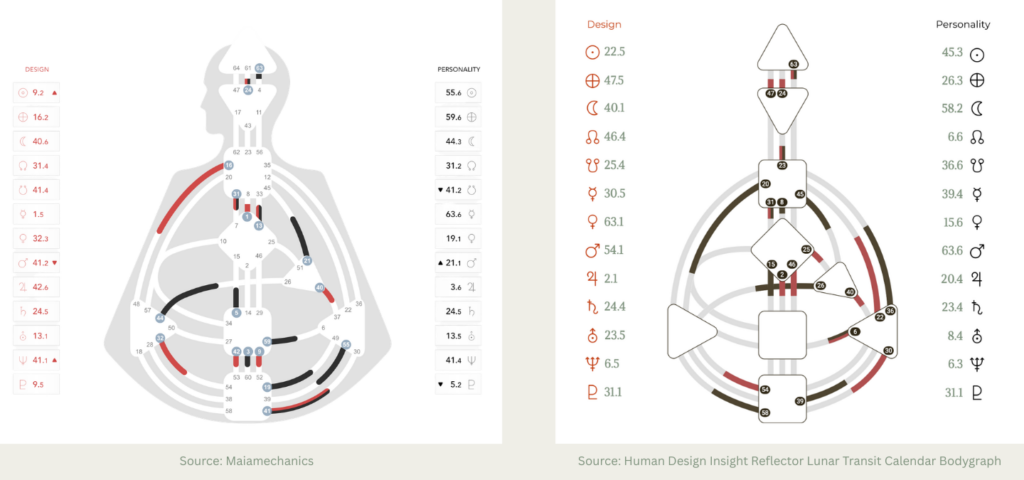
Alternatively, you can use a screenshot of a chart you already have — provided it is organized in the same order and allows the gates to be read correctly.
IMPORTANT: if you’re using a chart tool that places the Nodes before the Moon, this Lunar Transit tool won’t interpret that information correctly. Check out the samples of bodygraph charts below that have the correct design.
Get Your reflector lunar transit calendar bodygraph HERE
Once your bodygraph appears, be sure to confirm that the activations shown are accurate. Using a bodygraph and chart image for the Lunar Transit tool that doesn’t provide the information clearly and in the correct order will cause an incorrect result. Click the Download Now button to receive your pdf to use in Step 2.
Step 2: Enter Your Reflector Bodygraph

Upload your simplified Reflector chart in the window below and see the current Lunar Transit. You’ll see immediately if it’s bringing a channel activation for you by looking at the bodygraph illustration and in the list of lunar activations, yours will be highlighted in green. You can also download a file that will add your specific activations to your preferred calendar.
Step 3: Download The ICS File
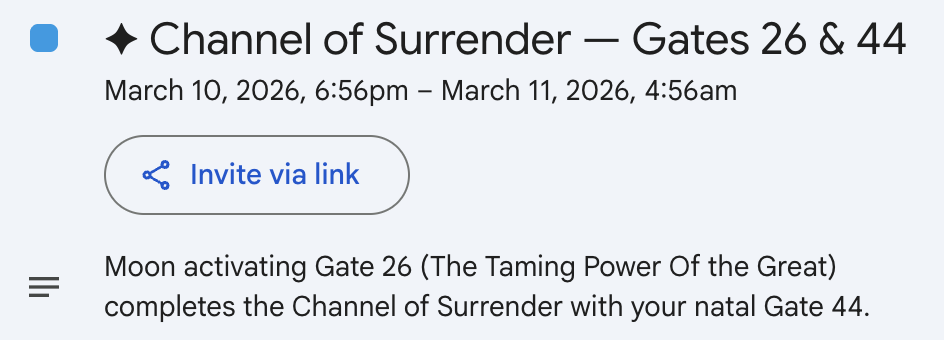
Once you upload your image, the first thing you’ll see is a bodygraph illustration that will have either all the centers open, or if there’s a relevant lunar activation, two centers colored green.
Next, you’ll see the current gate activated by the Moon. And, if it’s harmonic to one of your natal gates, you’ll see information about the channel.
Right below this, you’ll see a list of your natal gates.
Now, you come to the 28-Day Activation Window. This is a list of the lunar gate activations over the next 28 days. The ones relevant to your design will be highlighted in green.
To the immediate right, you’ll see the “Add to Calendar” option. Click to download. Then follow your preferred calendar provider’s instructions for adding to your main calendar.
How This Transit Tool Is Different
With the Human Design Insight Reflector Lunar Transit Calendar, onscreen you’ll see:
- The current gate activated by the Moon
- Whether it creates a full channel activation for you
- If so, which centers are involved
- A 28-day list of lunar activations — yours will be highlighted in green
And, you can download the ics file that contains your personal activations and add it to your preferred calendar so you can see exactly when the Moon activates a complete channel in your design over the next 28 days.
Why I Created This
With the Collective Channels of Acceptance and Prodigal and the Individual Channels of Inspiration and Structuring, I want to help Reflectors access the fluidity of their design in a way that:

- Logically organizes the details
- Helps them make sense of and find meaning in their lives
- Offers an inspiring and empowering model
- Creates an empowering structure that’s innovative and unique.
About Reflectors
Learn more about Reflectors, their design, and the role the Moon plays in decision-making. Read more about Reflectors ->
What Do The Channels Mean?
Each channel has a particular theme and energetic influence. If you’re ready to discover more so you can embody your design, you can schedule a 1:1 session.
Can I Get A Full Chart?
You can get a free chart and custom report here. You’ll need to re-enter your birth information.
Questions
If you’re unable to access either the simplified chart or the lunar transit calendar, or have questions, reach out and we’ll connect shortly.
Sample Chart Designs
For accurate results, it’s important to upload a chart that the program can read. The chart on the left was produced by taking a screenshot of a chart in MaiaMechanics, the Jovian Archive HD system. The chart on the right was produced using the application at the top of this page. Whatever chart you use, it must have the Moon before the Nodes and be clean and simple in design.
*The pdf you download from this page will have your name and a bit of text at the bottom. That won’t interfere with the application because it’s only looking at the lists of gates on the left and right.